
Gold Breakout M30 [AlgoPrime]
Breakout · Gold · Trade Planning
Built by AlgoPrime
![Gold Breakout M30 [AlgoPrime]](https://auth.algoprime.co/storage/v1/object/public/product-images/1792190562183.jpg)
What it does
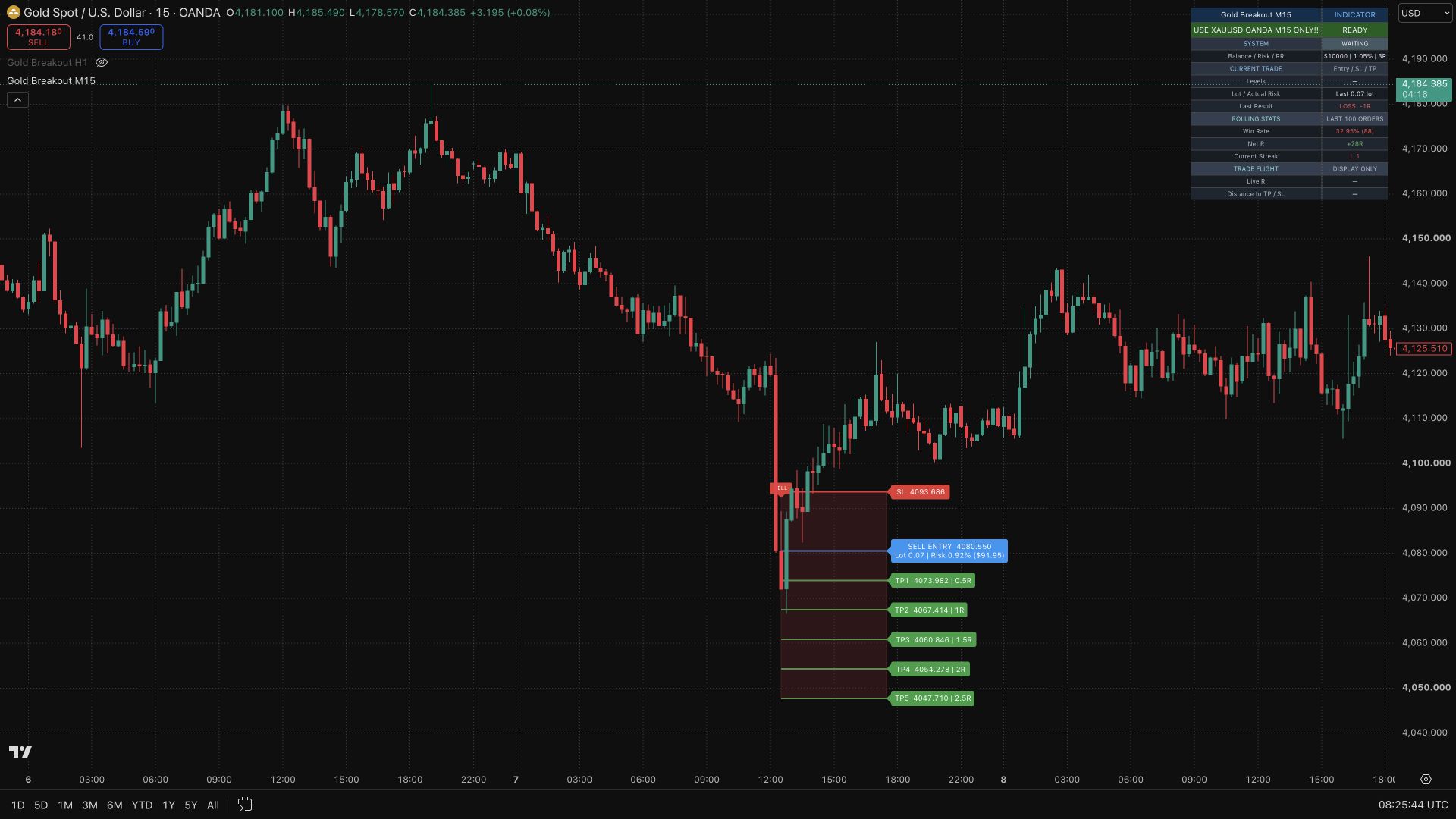
Gold Breakout M30 brings gold breakout signals, trade levels, and risk estimates onto a single chart. Designed for standard OANDA:XAUUSD candles on M30, it combines breakout and trend filters to identify qualifying setups, then tracks the plan from the next bar open. Entry, ATR-based stop, target references, estimated lot size, and a performance dashboard help you follow the setup from confirmation through its simulated outcome.
How to Trade with Gold Breakout M30?
BUY/SELL signals: start with standard OANDA:XAUUSD candles on M30. A confirmed label identifies a setup that has passed the script’s filters; the tracked entry begins at the next bar open.
Entry and stop: compare the entry-to-stop distance with your risk budget, then review estimated lot size and the risk remaining after rounding.
Target levels: read TP1–TP5 as price references. The Reward/Risk setting determines the target used for internally tracked results.
Dashboard: review net R, win rate, and streaks together to understand the recorded sequence, rather than assessing a setup from one winning example.
Gold Breakout M30 Settings
Balance and Risk %: define the capital and risk budget used in calculations.
Reward/Risk: sets the internally tracked simulated exit target and can affect subsequent plans.
TP1–TP5: visual planning levels, separate from the target used to calculate results.
History: choose full details or Entry + Result and adjust historical visibility.
Frequently Asked Questions
Do TP1–TP5 automatically close a position?
No. These lines are visual references. Simulated results use the target set by the tracked Reward/Risk value.
Does the indicator send orders to a broker?
No. It does not execute broker orders. TradingView alerts must also be created separately.
Are the dashboard statistics actual account returns?
No. They describe indicator-tracked simulations, not realized account performance. Historical results do not guarantee future outcomes.
How do I access Gold Breakout M30?
Request access from AlgoPrime and provide your TradingView username. Once permission is granted, open the corresponding script and add it to your chart.
Request TradingView Access
How you get it
- Be on Pro
Choose a plan that includes this tool, or use access from a package you already own.
- Claim it on Pro
Any plan that includes Pro lets you claim it from the Tools Kit at no extra charge.
- Add your TradingView username
Access is granted to your username and the indicator shows up in TradingView under Invite-only scripts.
More like this
All tools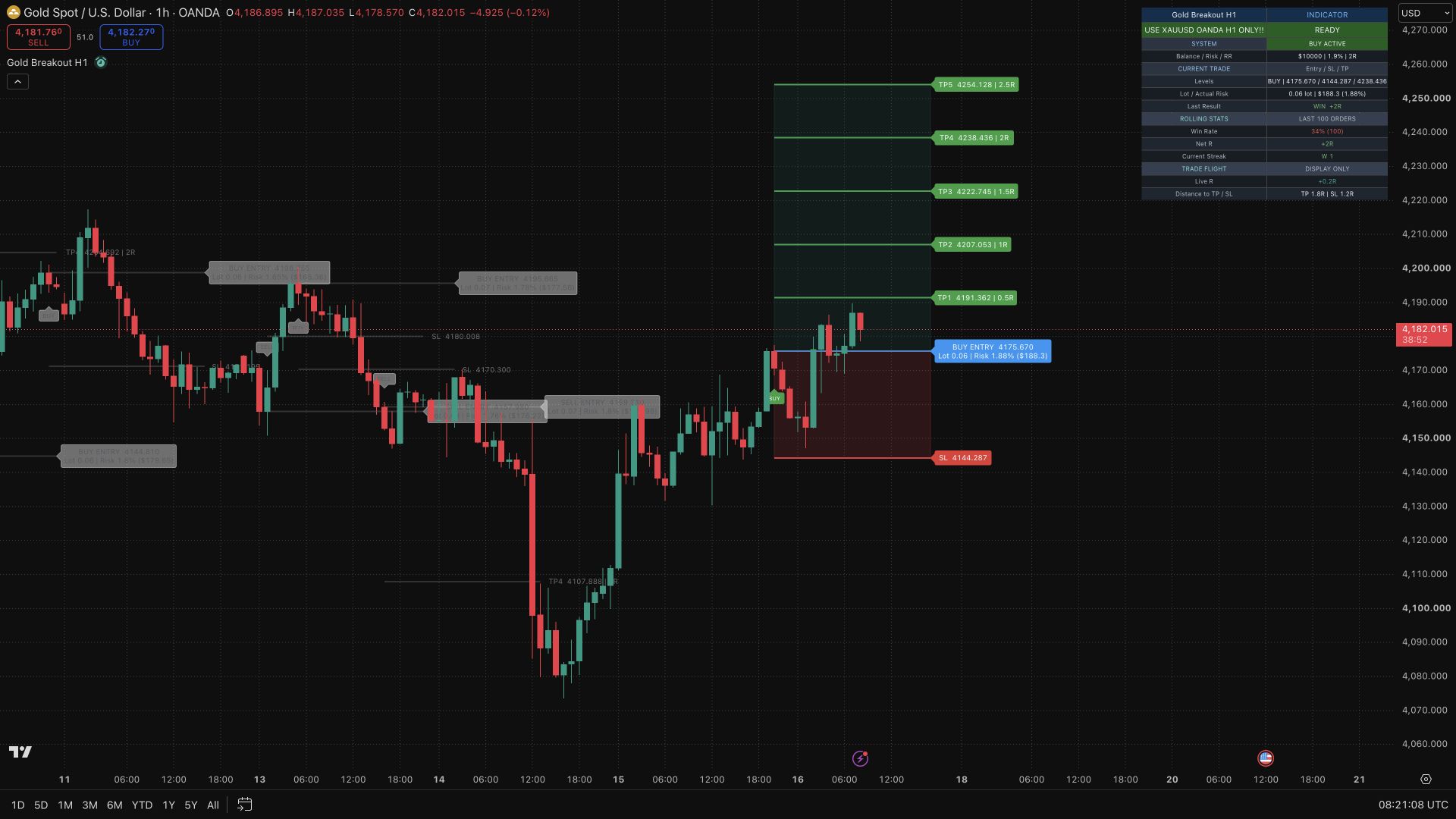
Questions about Gold Breakout M30 [AlgoPrime]?
The desk answers in chat — setup, access, or which plan fits.